

The Inline Code statement lets you include target-specific source code inline within an action diagram and stored in the model. Instead of maintaining external action block (EAB) code outside the model, you can put that code into Inline Code statements in an action diagram and store them within the model. The Inline Code statement lets you add custom code in native target languages (such as C or COBOL) or SQL statements which may be database specific or non-specific.
This document includes tips and best practices that will help you add inline code statements targeting ODBC/JDBC/ADO.NET statements. But this is not an exhaustive list of all possible scenarios.
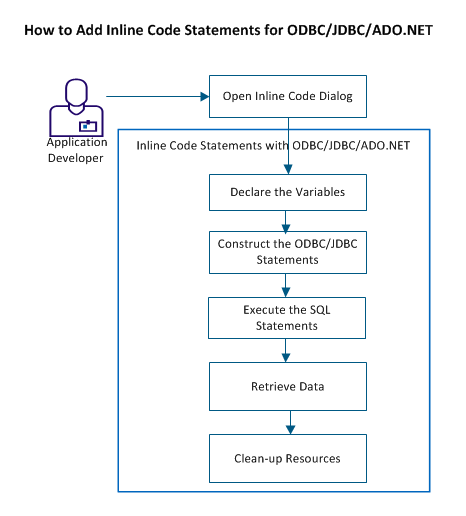
Follow these steps:
|
Copyright © 2014 CA.
All rights reserved.
|
|