

CA Gen Studio Framework › How to Open a View and Rearrange Views in the CA Gen Studio Editor › Rearrange Tabbed Views
Rearrange Tabbed Views
You can rearrange the order of views in a tabbed view.
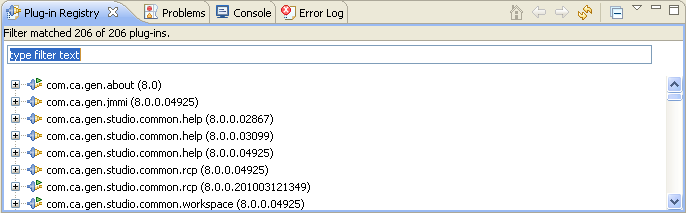
The following procedure explains how to rearrange the Plug-in Registry view and the Error Log view.
Follow these steps:
- Drag the Error Log tab's title bar to the right of the Plug-in Registry tab until the cursor appears as a stack cursor, then release the mouse button.
The Error Log tab now appears to the right of the Plug-in Registry tab.

- Drag the Plug-in Registry tab's title bar to the right of the Error Log tab until the cursor appears as a stack cursor, then release the mouse button.
The Plug-in Registry tab now appears to the right of the Error Log tab.

Copyright © 2015 CA Technologies.
All rights reserved.
|
|