

Creating Custom Proxies and Web Services › How to Create Custom Proxies › Add a Proxy
Add a Proxy
To add a proxy, you must identify an interface and add it to an existing proxy definition. A proxy must be added to a proxy definition. You can either create a proxy definition and then add a proxy to the proxy definition or add a proxy to an existing proxy definition.
Follow these steps:
- Right-click the proxy definition to which you want to add a proxy and click Add Proxy.
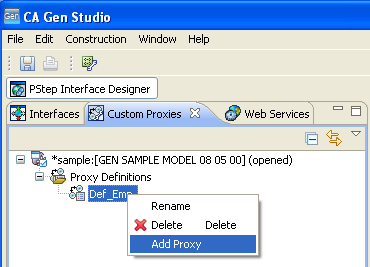
The Add Proxy dialog opens displaying all the interfaces of the model.
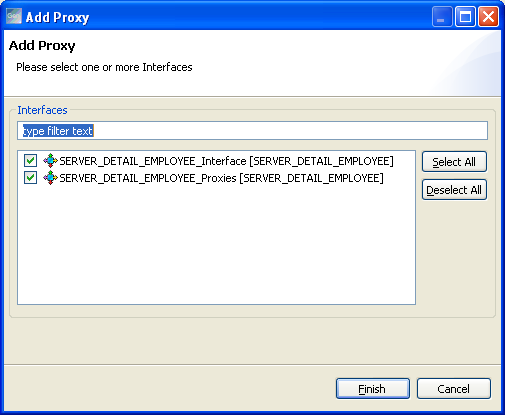
- If there are many interfaces, type the initial letters of an interface to filter the interface that you want to add as a proxy. Else, move to the next step.
Note:
- The Interfaces field is case sensitive.
- Interfaces that were already added as proxies to the proxy definition are not listed in the dialog. That is, you cannot add the same interface more than once to a proxy definition.
- Select the interface and click Finish.
The proxy is added under the proxy definition in the Custom Proxies view. By default, new proxies will be named using the names of their interfaces.
Copyright © 2015 CA Technologies.
All rights reserved.
|
|