

Generating and Building Cooperative Code for WebSphere MQ › Construct Cooperative Applications › Windows Build Tool Setup
Windows Build Tool Setup
When the Windows Build Tool builds server manager applications, it looks for MQS libraries in the following location:
C:\PROGRAM FILES\IBM\WEBSPHERE MQ\TOOLS\LIB
If you have installed your MQS libraries anywhere else, you need to set the LOC.MQSLIB token to point at that new location before starting your server manager build.
Follow these steps:
- Click the Profile Manager toolbar icon after selecting the appropriate profile name, and clicking the OK button.
The Profile Manager dialog appears.
- Select C subtree within the Profile Tree on the left-hand side.
The right-hand side of the panel will be populated with a set of tokens.
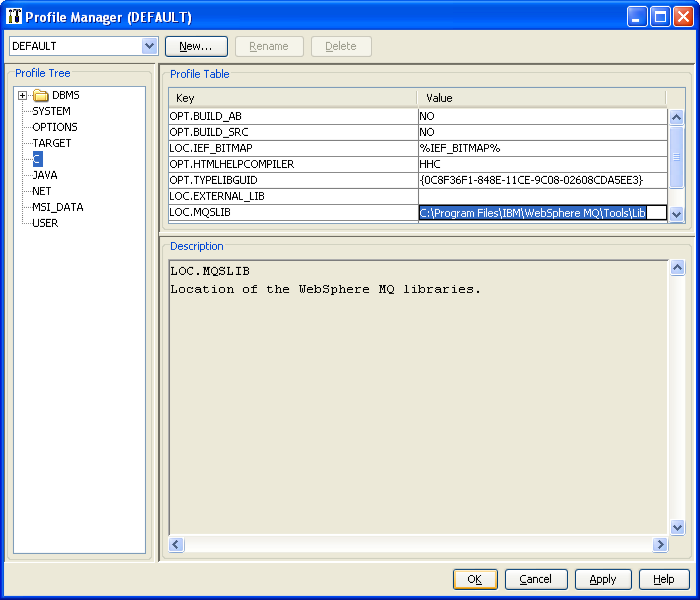
- Find LOC.MQSLIB in the token list. Either select the token and then select the Edit… button, or double click on the token. A popup dialog will appear in order to edit this token.
- Change the path to match your MQM library path.
- Select the OK button to update the token and then the Save button to save the file.
You can now build your server manager. For more information about using the Build Tool, see the Build Tool User Guide.
Copyright © 2013 CA.
All rights reserved.
|
|