

Specifying Properties for WebSphere MQ Applications › Set Business System Defaults › Set MQSeries Properties › Set WebSphere MQ Properties
Set WebSphere MQ Properties
You can set the WebSphere MQ properties from the Server Properties dialog during packaging.
Follow these steps:
- Highlight a specific server manager in the Cooperative Packaging tool.
- Select or right-click Detail, Properties to open the Server Properties dialog box.
- Click the MQSeries tab. The Server Properties dialog box displays the default MQSeries property settings for your application.
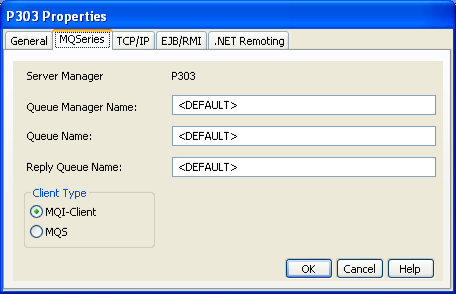
Note: The above steps show how you set WebSphere MQ properties through packaging. You can also perform the same steps with the generation tool.
Copyright © 2013 CA.
All rights reserved.
|
|