

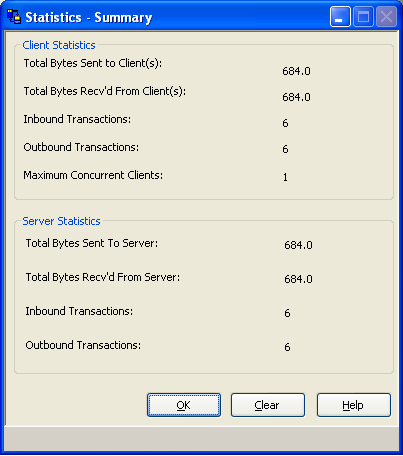
The Comm. Bridge Statistics-Summary dialog displays real-time byte transfer statistical data for both the client and target server transports. To display the statistics dialog from the Comm. Bridge main window select the Statistics, Summary menu items. The following figure shows the Statistics Summary dialog.
Note: The fields that provide total byte counts of data routed through the Comm. Bridge have a special multiplier field that follows the data field. The first letter of each of these abbreviations denotes the multipliers: Kilo, Mega, Giga, and Tera.
The statistical counts are restarted at zero when:
The display-only fields on this dialog include:
The total number of bytes sent to all Comm. Bridge clients.
The total number of bytes received from all Comm. Bridge clients.
The total number of cooperative flow requests received from all Comm. Bridge clients.
The total number of cooperative flow responses returned to all Comm. Bridge clients.
Maximum number of concurrently connected clients.
The total number of bytes sent to the target server by the Comm. Bridge.
The total number of bytes received by the Comm. Bridge from the target server.
The total number of cooperative flow requests sent to the target server by the Comm. Bridge.
The total number of cooperative flow responses received by the Comm. Bridge from the target server.
|
Copyright © 2013 CA.
All rights reserved.
|
|