

The Outline view displays an outline of the application PAD file that is currently open in the PAD Code View editor area and lists the structural elements. The contents of the Outline view are specific to the PAD file.
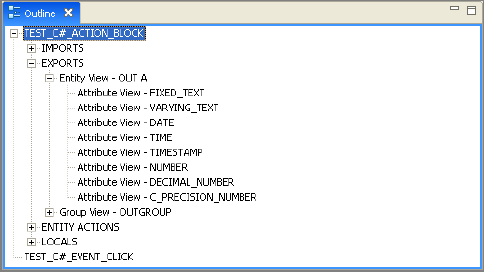
The Outline view contains a top level node for each method (action block or any event actions defined in the action block) in the action block. Each method node expands into nodes for each of its attribute views, base views, group views, entity views, and work set views.
Selecting a node switches to the location of that node in the PAD Code View editor. If the location is collapsed, the area is automatically expanded.
Note: If you activate a new PAD Code View editor, the contents of the Outline view switch to the outline for the new editor. The expanded state of the outline is preserved as long as the PAD Code View editor with which the outline is associated remains open. If you close the Outline view and open it again, the expanded state of the view nodes are not preserved.
|
Copyright © 2013 CA.
All rights reserved.
|
|