

The Screen Design tool defines two types of display objects—templates and screens.
Templates are definitions of portions of a screen. A template can be used by many screens across a business system to define and position standard screen objects. In addition, one or more templates can be used in each screen.
Screens are the view of the system by the user and can contain one or multiple templates. A screen is associated with a single procedure step (or a single-step procedure) and is responsible for providing data to the import view of the procedure step and displaying data from the export view.
A screen in a generated system can appear in the following two states:
The following example shows a screen using a template.
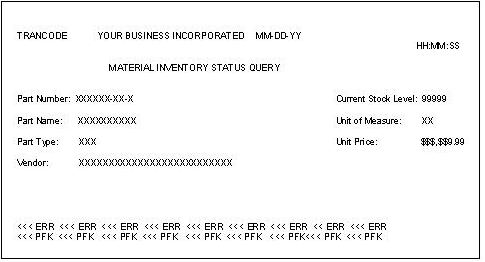
Screens and templates may contain the following objects:
|
Copyright © 2013 CA.
All rights reserved.
|
|