

The Summary dialog displays the configuration options that you selected and gives you the option to apply this configuration information to the current installation or to cancel this configuration activity without changing the current configuration. You can also go back through the dialogs to make the adjustments, and return to this dialog.
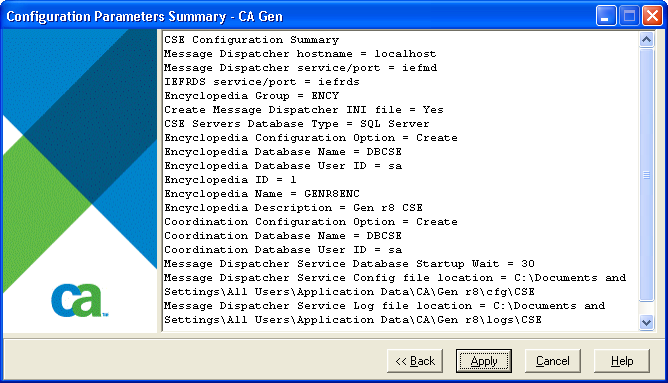
If you click Cancel in this dialog, it prompts you to confirm to cancel or resume configuration. Selecting Abort in the Cancel Confirmation dialog ends the configuration session without saving or applying the configuration information.
Selecting Finish on the Summary dialog saves the configuration parameters and begins applying the configuration parameters to the current installation instance.
There are no options for aborting the Apply process.
The Windows platform reports progress in the dialog.
On the UNIX platform, the configuration user interface closes and cse_config reports progress in the same window or screen the cse_config program started in. The process leaves log files in the CSE/bin or CSE/cse_oracle directory. If the process encounters problems, inspect these files for possible causes.
cse_config creates a more detailed log of the configuration application activity in the configuration account's home directory. The file that is named cse_config_<n>.log, where <n> starts at 1 and is incremented each time cse_config runs. These files only provide information about the configuration apply process and you can remove them after you complete a successful configuration.
Note: When you select the options to create and initialize or initialize the coordination and encyclopedia databases, the CSE registers the encyclopedia and grants the default ENCYADMN account access to the encyclopedia.
|
Copyright © 2015 CA Technologies.
All rights reserved.
|
|