

A dialog box is a movable window that requests input from the user.
Dialog boxes are not resizable and do not have menu, tool, or status bars. Instead, they use push buttons to dictate procedure interaction.
A primary dialog box is appropriate when, for example, criteria need to be applied to retrieve data before it can be displayed, or when a password is required.
A secondary dialog box is often invoked either using a menu option from the menu bar in a window or a push button in another dialog box.
A client procedure that is designated Online With Display may have one primary window or dialog box and as many secondary dialog boxes as needed for the application.
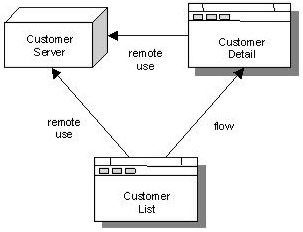
A secondary dialog box is dependent on its parent window or dialog box and may not be displayed on its own. The following illustration shows a primary window and secondary dialog box.
Note: Import views receive data. Export views populate display controls.
The following list shows the elements of a dialog box:
|
|
|
|
|
|
|
|
|
|
|
|
|
|
|
|
|
Copyright © 2013 CA.
All rights reserved.
|
|