

With the Common Edit Modification menu, you can make common edits to a window across all the modes. They are:
Moving a control in the Edit Window mode moves the field when the window displays in either Edit HTML mode or Edit ASP.NET mode. The same is true when editing a field in Edit HTML mode or Edit ASP.NET mode. This common functionality is the default for the Common Edit Modifications menu item and occurs when this option is checked.
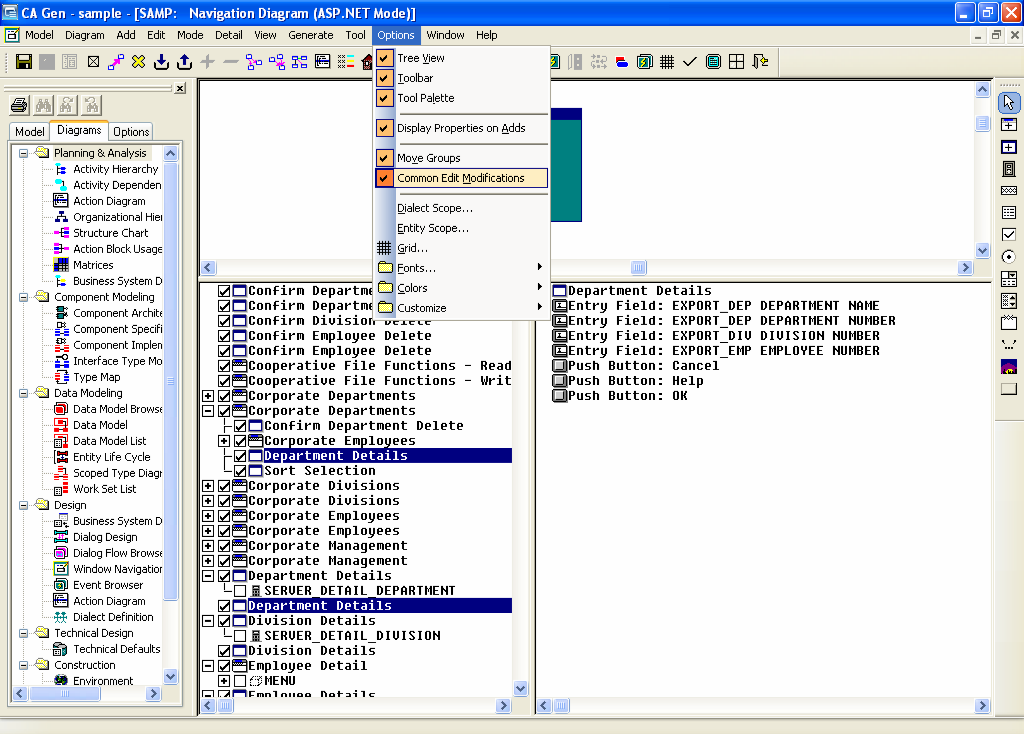
If Common Edit Modifications is not checked, any edits causing updates to any of the visible properties of a window and its controls are considered a customization for the edit mode used in the current window (Windows, HTML, or ASP.NET). Control location, prompt text, control font, and color are examples of customizable properties. You can also add, update, or delete a control relative to one mode only.
|
Copyright © 2013 CA.
All rights reserved.
|
|