

|
|
|
Several administrators in your company can be responsible for different aspects of federation management. Assign the administration of Federation Manager to multiple people in your organization to establish accountability and separation of responsibilities.
A default administrator account is always available to manage Federation Manager. After you add new administrators, optionally, disable the default administrator account.
Create and maintain new administrative users through the Federation Manager UI.
The following graphic shows the configuration tasks for configuring administrators:
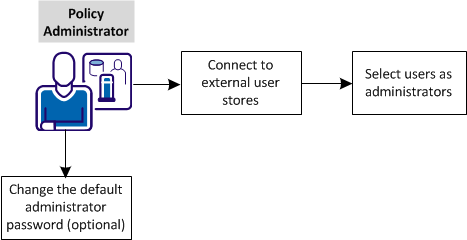
Complete these tasks:
| Copyright © 2012 CA. All rights reserved. |
|