

CA Executive Insight uses CA Embedded Entitlements Manager (CA EEM) so that administrators can use role security to do the following tasks:
CA EEM provides a common web interface, and the ability to use XML scripts to define policies, manage users, and audit user activities. CA Executive Insight uses CA EEM as a single source to authenticate users and manage user access rights.
The following illustration describes how to grant access to the product using CA EEM.
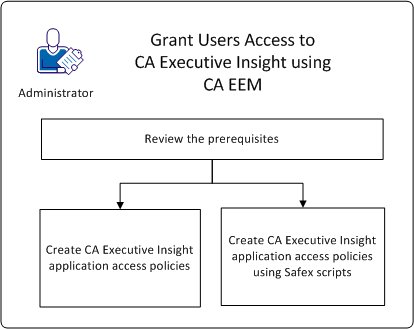
To grant access to CA Executive Insight using CA EEM, follow these steps:
|
Copyright © 2014 CA.
All rights reserved.
|
|