

Package Ship Facility › How to Enable Backout and Shipment for Natural Objects
How to Enable Backout and Shipment for Natural Objects
As a CA Endevor SCM administrator, you can enable the shipment of Natural objects to a remote site and the backout of those objects from the remote site. This functionality is enabled by the Post-Ship Script feature, which lets you ship job steps (scripts) to the remote destination for conditional execution. In this case, the scripts are needed to write the Natural objects to the remote Natural library after shipment.
The following graphic shows how you enable backout and shipment for Natural objects:
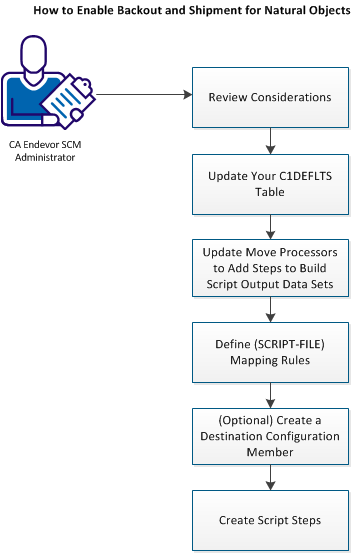
Complete the following procedures to enable backout and shipment of Natural Objects:
- Review the considerations for the backout and shipment of Natural objects.
- Configure your C1DEFLTS table to enable the Post-Ship Script feature. This involves reviewing your C1DEFLTS table and updating the table if the feature is not already enabled.
- Update your Move processors to add steps that will build your script output data sets for shipment and create backout records to enable backout of these data sets. The model processor steps enable package processing for shipment and backout, store unloaded Natural objects into PDS format, and put remote Natload JCL into the NATCMD library.
- Define mapping rules for the data sets that contain your script files. For these script data sets, you always define the mapping rule remote destination as: (SCRIPT-FILE).
- (Optionally) Create a Destination Configuration member to define unique symbol values for each package ship destination. This member is only required if you want the symbols in your script data sets to resolve to values that are based on the destination.
- Create script steps that can be conditionally executed at the remote destination, based on the existence of a script data set in the shipment. The model script creates a sequential file from the NATCMD file PDS members being shipped and then loads the shipped Natural objects to their Natural libraries.
Backout and Shipment of Natural Objects
The shipment of Natural objects to a remote site and the backout of those objects from the remote site is enabled by the Post-Ship Script feature. This feature lets you ship job steps (scripts) to the remote destination for conditional execution. The scripts write the Natural objects to the remote Natural library after shipment.
For Natural objects, backout and shipment has the following limitations:
Copyright © 2014 CA Technologies.
All rights reserved.
|
|