

Global Type Sequencing › How to Enable Global Type Sequencing
How to Enable Global Type Sequencing
As a change manager (CA Endevor SCM administrator), you can enable Global Type Sequencing to improve batch processing performance. When this feature is enabled, API element actions (if wildcarded or masked) and SCL element actions are processed by a single Type sequence defined at the site level in the Type Sequence member created by the administrator.
Global Type Sequencing is a prerequisite for the following features:
- Concurrent Action Processing (CAP)— When CAP is specified for a batch job or packages submitted for processing, certain element action requests are executed concurrently. CAP uses Global Type Sequencing to determine which actions can be processed at the same time.
- Autogen option for Add, Update, and Generate actions— When Autogen is specified for an element, elements that use this component element are automatically generated. Autogen requires Global Type Sequencing so that the elements that use a component are generated after all of the components have been processed (for example, macros before source, source before load modules).
The following graphic shows how to enable Global Type Sequencing.
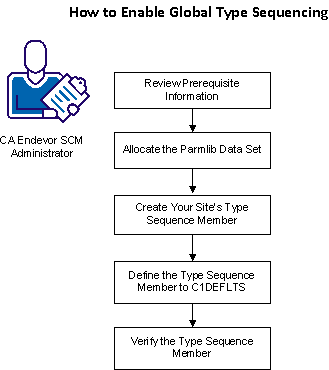
To enable Global Type Sequencing, do the following:
- Review Prerequisite Information.
- Allocate the Parmlib Data Set
- Create Your Site Type Sequence Member
- Define the Type Sequence Member to C1DEFLTS
- Verify the Type Sequence Member
Copyright © 2014 CA Technologies.
All rights reserved.
|
|