

The user first types the command WIPSHOW R 1 in the COMMAND line.
The following is an example of how the WIPSHOW command works.
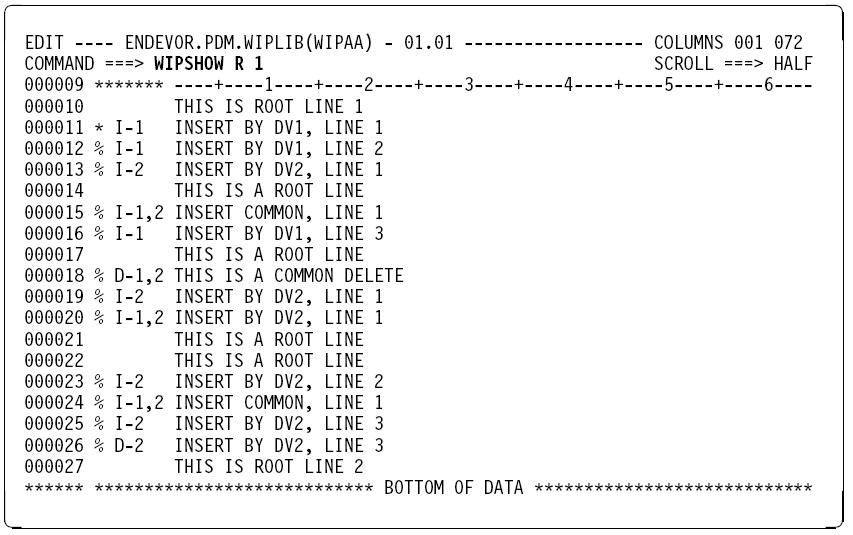
Pressing Enter executes the WIPSHOW command, which produces the following output.
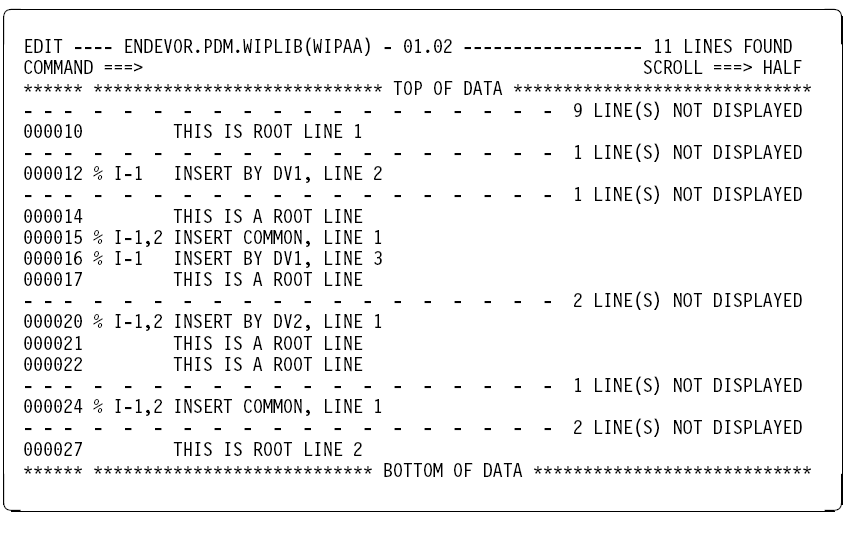
In this example, the WIPSHOW command displays only those lines that are from the Root and the Derivation 1 file and that have not been logically deleted. Line 11 is excluded from the display because it was logically deleted from the WIP member. Lines 15, 20 and 24 are included in the display because they are common between the Derivation 1 and the Derivation 2 file.
|
Copyright © 2013 CA.
All rights reserved.
|
|