

In the previous versions, CA ERwin Data Modeler connected to the Mart server directly. Now, CA ERwin Data Modeler connects to the Mart server through a web server.
The Mart comprises the following components:
Stores the user data for the Workgroup Edition. You can use a Microsoft SQL Server 2005, 2008, or 2012 database for the Mart database. You must use a new database and not an existing database that was created for an older version of the data modeling tool.
Includes a web-based component named CA ERwin Mart Administrator that helps you manage the Mart through a web console.
Hosts CA ERwin Mart Administrator. You can use a web server of your choice. If you have not installed a web server, use the ERwin Mart Server option and install Tomcat.
If you are using the Workgroup Edition, you must install and configure CA ERwin Mart Administrator.
The following diagram illustrates how to install and configure a Mart:
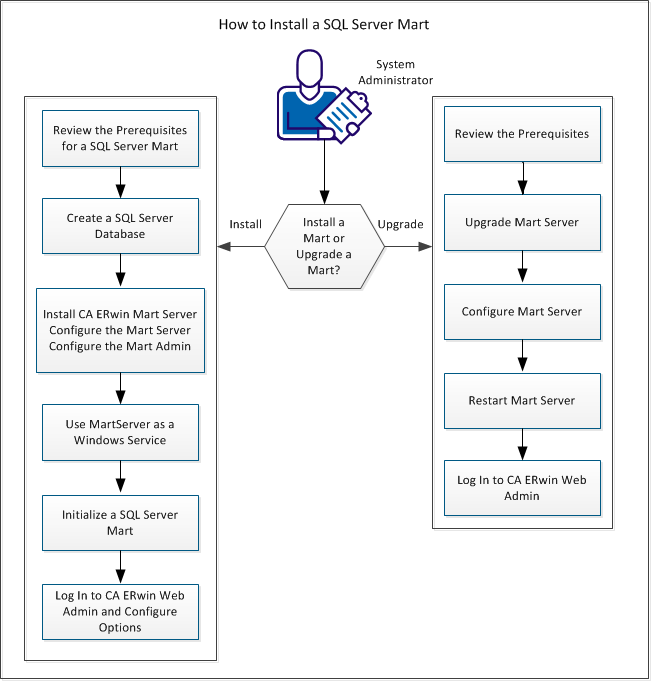
Complete the following steps in the same order to install and configure the Mart:
|
Copyright © 2013 CA.
All rights reserved.
|
|
