

This display panel contains information about a data set in the CA Disk archives. It is displayed as a part of the data set index list function. The following illustration is a sample Data Set Index Record Display:
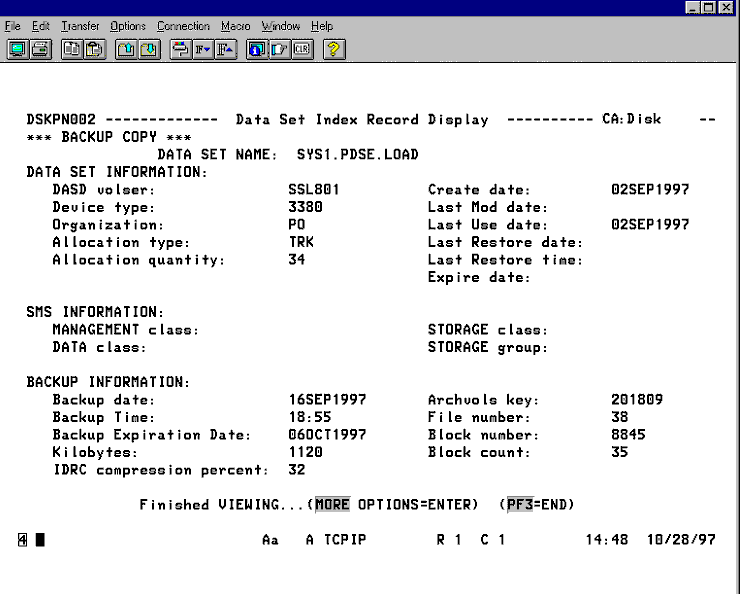
From this panel, you have 2 options:
You can press <ENTER> to view the flag field settings for an index record.
You can press PF3 to select another record in the list.
By pressing <ENTER>, DSNINDEX Flag Field Pop-Up Panel is displayed.
|
Copyright © 2015 CA Technologies.
All rights reserved.
|
|