

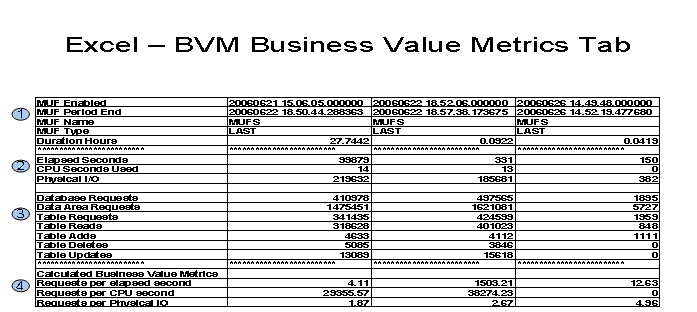
The sample spreadsheet shows the BVM tab after it has been transposed:
1 Identifies the processing MUF and processing period
2 Amount of resources used
3 Amount of work done
4 Calculation of Business Value Metrics
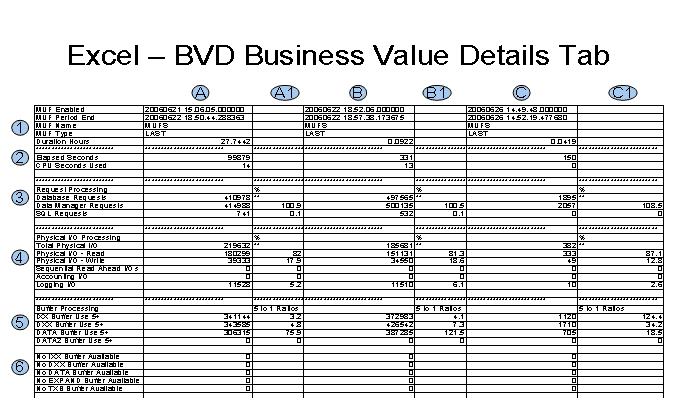
The sample spreadsheet above shows the BVD tab after it has been transposed:
1 Identifies the processing MUF and processing period
2 Amount of CPU and elapsed seconds used
3 Amount of work done
4 Breakdown of physical IO
5 Buffer processing 5+ counts
6 No buffer available counts
A/B/C Counts for this period
A1/B1/C1 Key processing ratios
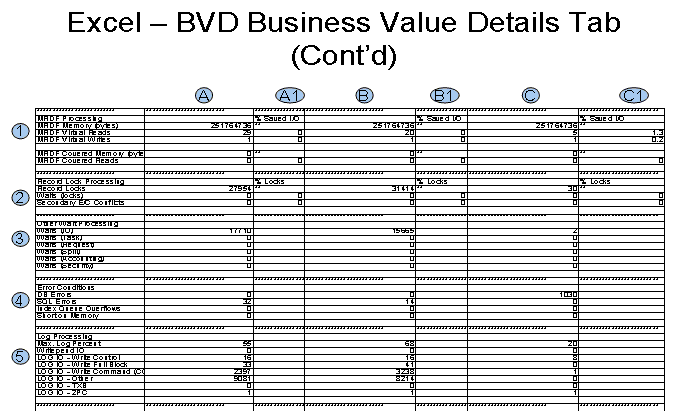
1 MRDF processing
2 Locks/Exclusive control
3 Waits
4 Errors
5 Log processing
A/B/C Counts for this period
A1/B1/C1 Key processing ratios
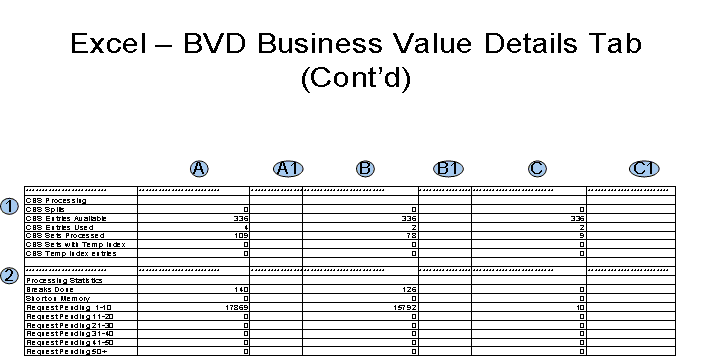
1 CBS processing
2 Request processing
A/B/C Counts for this period
A1/B1/C1 Key processing ratios
|
Copyright © 2014 CA.
All rights reserved.
|
|