

Installing Your Product Using Pax ESD › How to Install Your Product Using a Pax File
How to Install Your Product Using a Pax File
As a system programmer, your responsibilities include installing products on your mainframe system. With this option, you acquire a product pax file from http://ca.com/support.
You perform the following tasks to install a product with a pax file:
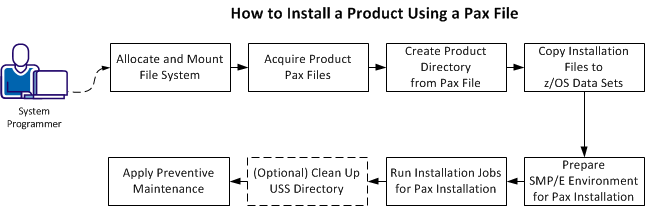
- Allocate and mount the file system.
- Acquire the product pax files.
- Create a product directory from the pax file.
- Copy the installation files to z/OS data sets.
- Prepare the SMP/E environment for a pax installation.
- Run the installation jobs for a pax installation.
- (Optional) Clean up the USS directory .
- Apply preventive maintenance.
Copyright © 2014 CA.
All rights reserved.
|
|