

In the Administration console, when you select a user, group or machine, their attributes are listed in the right pane. Some attributes are hyperlinked to other console features:
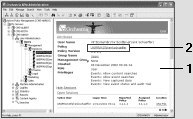
Click to open the current user's policy in the Policy Editor.
Click to highlight the parent group for the current user.
Click to highlight the management group assigned to the current user.
Click to open the current group's policy in the Policy Editor.
Click to highlight the parent group.
Click to open the current machine's policy in the Policy Editor.
|
Copyright © 2012 CA.
All rights reserved.
|
|