

CA DLP can integrate with the EMC EmailXtender solution. This section summarizes how emails are extracted from the archive and imported into CA DLP. The diagram below summarizes the key components and processes involved. For simplicity, the diagram shows a single email archive server, feeding data into a single EVF file cache. In practice, a large organization may have many such servers feeding data into multiple caches.
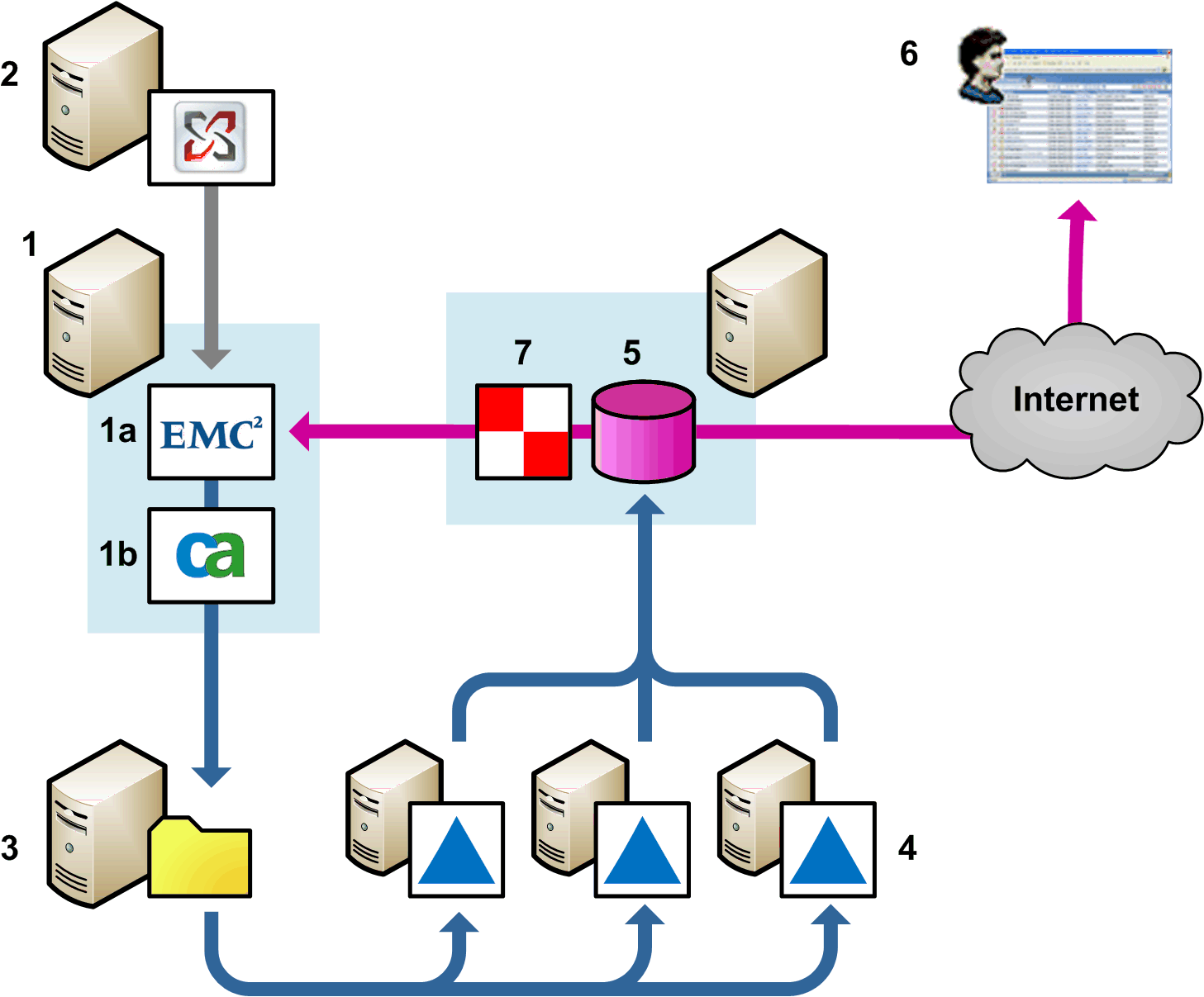
CA DLP integration with email archive
1 This server hosts the EmailXtender (1a) and the CA DLP External Agent API (1b). EmailXtender connects to an e‑mail server (2, Microsoft Exchange or Lotus Domino) and archives messages. It also passes data to the External Agent API, which must be installed on the same machine as the EmailXtender.
The External Agent API extracts archived emails and saves them as EVF files in a cache (3). This cache provides the source data for the CA DLP Event Import utility (4). For very large email archives, you may need to run multiple Event Import utilities simultaneously to avoid import bottlenecks.
Each Event Import utility imports archived emails into the CMS (5). The actual message data is not saved on the CMS; instead, a record in the CMS database for each imported email references the associated entry in the email archive (1a).
When displaying captured emails in the iConsole (6), the Remote Data Manager or RDM (7) retrieves data for archived emails from EmailXtender.
Note the following requirements for integration with EMC EmailXtender.
The supported version is 4.8 SP1 Build 263.
|
Copyright © 2012 CA.
All rights reserved.
|
|