

As a system administrator, your responsibilities often include monitoring systems, addressing known issues, and then triaging these issues. You trace these systems issues using CA Introscope to find the components that caused them. To find these components, you construct filter criteria on the Transaction Trace screen. You then analyze the results to determine the problem.
The following illustration provides an overview of the basic trace processes:
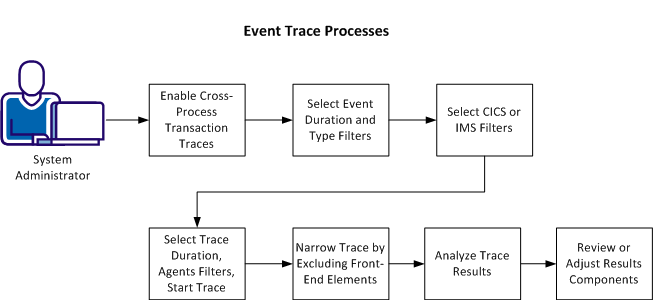
This process has the following tasks:
Important! Running a transaction trace can have a negative impact on the performance of the monitored application.
Completing this process lets you understand which filters criteria to select to find the problematic components and how to analyze the results.
|
Copyright © 2013 CA.
All rights reserved.
|
|