

As an application administrator, you want to configure PassTicket to provide seamless and secured access by CA Cross-Enterprise Application Performance Management (CA Cross-Enterprise APM) to CA Insight™ Database Performance Monitor for DB2 for z/OS (CA Insight DPM) data. The data enables an application support specialist, using CA Introscope®, to see the DB2 issues that affect an application.
CA Cross-Enterprise APM operates in a networked environment. PassTicket provides an enhanced security across a network. The networked entities can communicate without specific passwords or password phrases.
Use this scenario to guide you through the process:
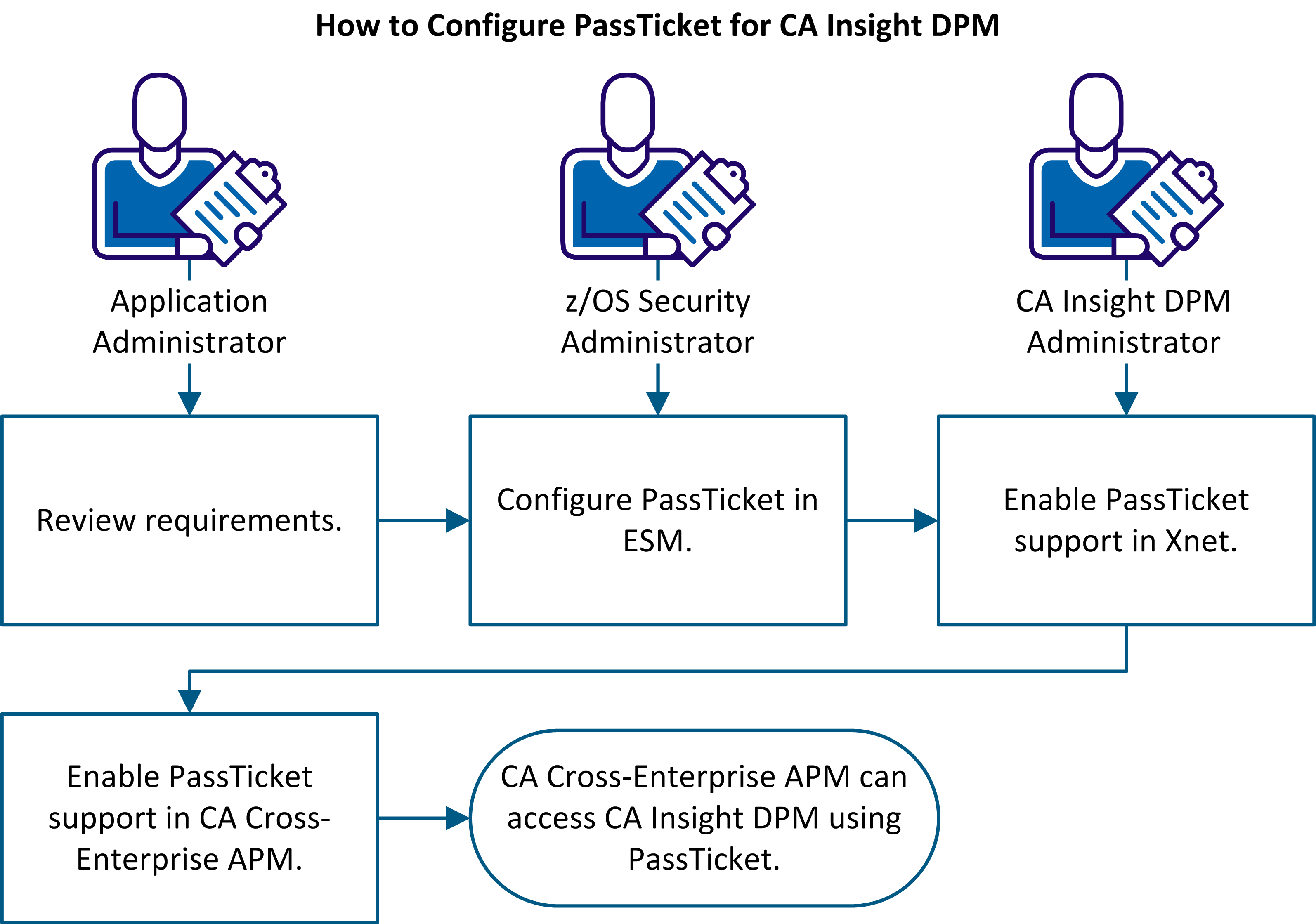
At the end of the process, the user ID of the CA Cross-Enterprise APM WILYZOS job has the authority to generate PassTicket. CA Cross-Enterprise APM can access CA Insight DPM using PassTicket.
|
Copyright © 2014 CA.
All rights reserved.
|
|