Previous Topic: Before You Begin

Next Topic: Upgrade the Enterprise Management Server


How to Upgrade from r12.0 SP1

The following steps describe how you upgrade an existing CA Access Control r12.0 SP1 deployment:
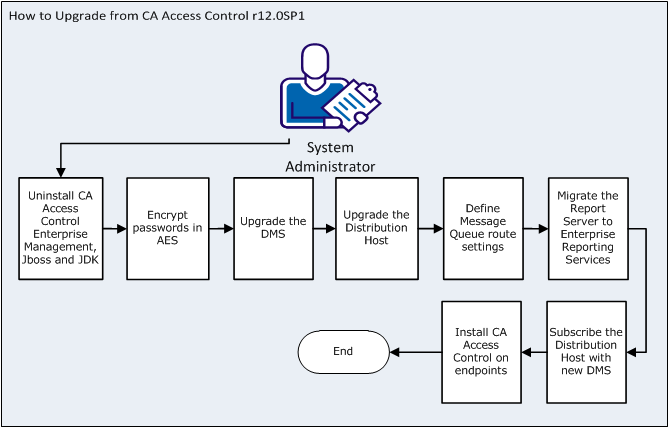
The following process describes how you upgrade from CA Access Control r12.0SP1:

  1. Upgrade the Enterprise Management Server.
    1. Uninstall CA Access Control Enterprise Management r12.0 SP1, JBoss and JDK.
    2. Install JDK 1.5.0 and JBoss 4.2.3 using the Prerequisite Installer.
    3. install CA Access Control Enterprise Management.
  2. Encrypt the existing passwords in AES.

    In CA Access Control Enterprise Management r12.5 SP1, the encryption method was changed from RC2 to AES.

  3. Upgrade the DMS computer.

    Note: You do not need to complete this step if the DMS is installed on the same computer as CA Access Control Enterprise Management.

  4. Upgrade the Distribution Host.

    Note: Upgrade every DH in your enterprise. You do not need to complete this step if the DH is installed on the same computer as the Enterprise Management Server.

  5. Define Message Queue (MQ) route settings.
  6. Migrate the Report Server to Enterprise Reporting Services.
  7. Subscribe the DH with the new DMS.
  8. (Optional) Upgrade CA Access Control endpoints.