

As an application administrator, you can implement multi-tenancy.
The multi-tenancy functionality allows for a master/tenant relationship between multiple CA Configuration Automation Server instances. A master server can have an unlimited number of tenants. This allows for large CA Configuration Automation implementations to have one master CA Configuration Automation Server that acts as a portal to manage other tenant CA Configuration Automation Servers. The tenants could be divided geographically, for example, one tenant per continent. Multi‑tenancy can also be used by service providers to provide a tenant CA Configuration Automation instance to each client, while performing administrative functions on the master server.
Multi-tenancy administration features allow for easy deployment of CA Configuration Automation components including custom Blueprints, Network Profiles, and Management Profiles from master to tenant.
The following graphic depicts the tasks involved in implementing multi-tenancy.
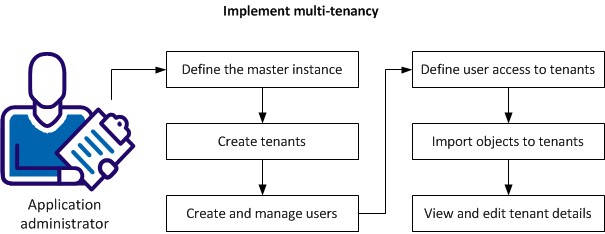
An application administrator can perform the following tasks to implement multi-tenancy:
|
Copyright © 2013 CA.
All rights reserved.
|
|