

Administering CA Configuration Automation › Configuration Settings › Creating and Managing Security Certificates › Configure X.509 Certificate Authentication
Configure X.509 Certificate Authentication
As an application administrator, you can configure CA Configuration Automation to only allow users with X.509 client certificates to log in to the CA Configuration Automation Server UI.
The following graphic depicts the tasks involved in configuring X.509 certificate authentication.
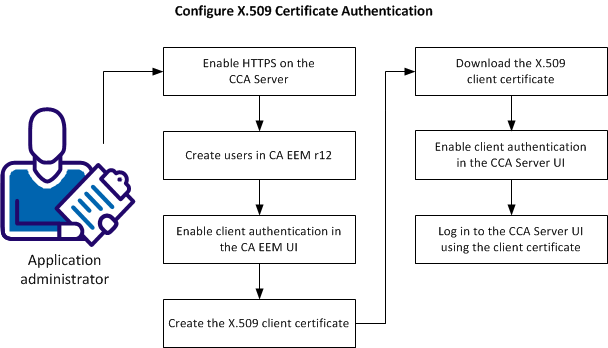
An application administrator can perform the following tasks to configure X.509 certificate authentication:
- Enable HTTPS on the CA Configuration Automation Server.
- Create users in CA EEM r12.
- Enable client authentication in the CA EEM UI.
- Create the X.509 client certificate.
- Download the X.509 client certificate.
- Enable client authentication in the CA Configuration Automation Server UI.
- Log in to CA Configuration Automation using the client certificate.
Copyright © 2013 CA.
All rights reserved.
|
|