Previous Topic: Stand-alone Implement an FDT

Next Topic: Delete an FDT


Regenerate an FDT

To regenerate an FDT in the Analysis File

  1. On the Maintenance menu, select FDT.
  2. Select Service List to display the FDT Support Service List.
  3. Move the cursor to the Action field next to the wanted FDT.
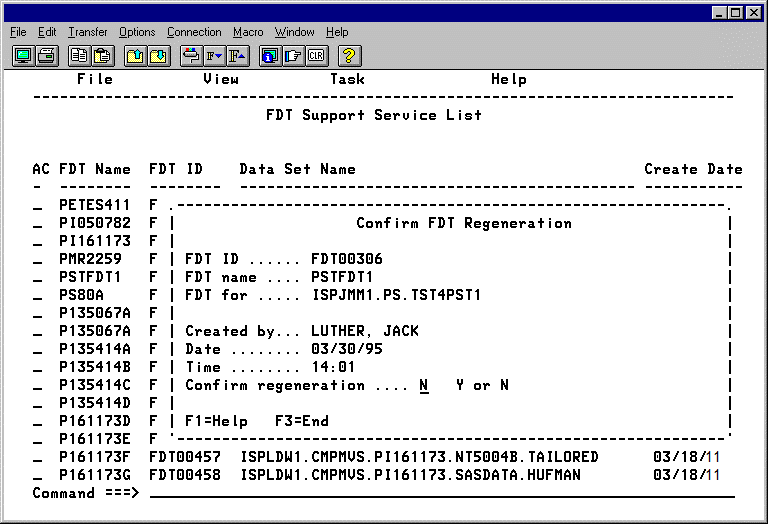
  4. Type G, and press Enter to display the Confirm FDT Regeneration panel.

    The Confirm FDT Regeneration panel

  5. Check the FDT name and information. To regenerate the FDT, type Y and press Enter.