Maintenance and Administration › File Maintenance Functions › Analysis File Maintenance › List Data set Names
List Data set Names
To list the data sets names in the Analysis File
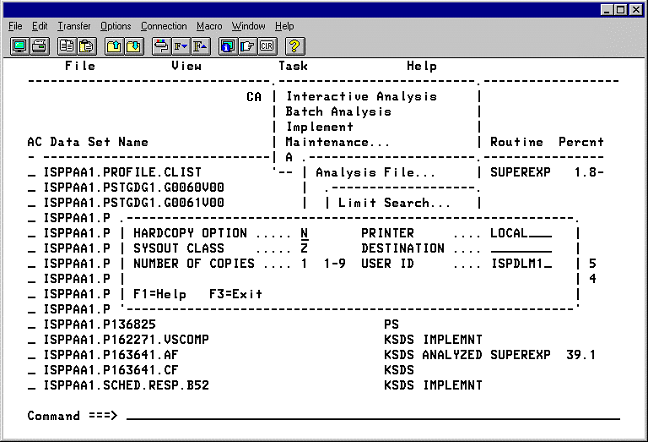
- On the Maintenance menu, select Analysis File.
- Select List to display a list of the data set names that are in the Analysis File. The list is shown with explanations of the fields and their contents. The online and hardcopy reports are the same.
- Press PF3 to end and display the Report Printing Option panel.
- To exit without printing, press PF3.
- To print the list, change HARDCOPY OPTION to Y, change the rest of the entry fields as needed, and press Enter.
|
Copyright © 2012 CA.
All rights reserved.
|
|

