

|
|
|
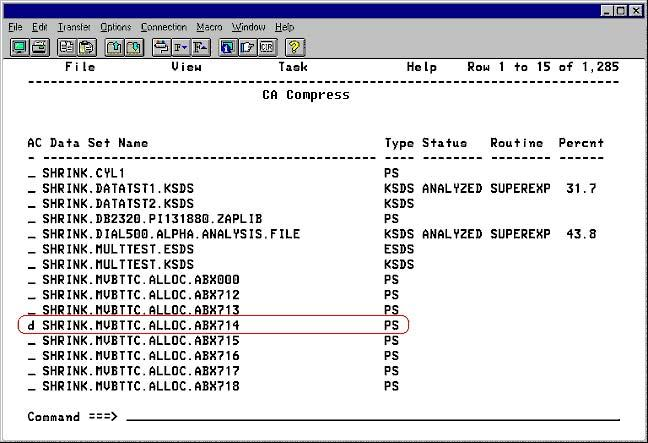
The Delete panel following shows the primary screen listing several data sets. To eliminate one or more entries from the list you can use the Delete menu item from the File action. However, doing so with a line command is much more convenient. Most of the panels in the IUI that display lists of items provide a line command entry field at the beginning of each item in the list.
Note: Since patterns are not data sets, they cannot be deleted with the d line command. A pattern can only be deleted through batch.
The list displayed on the panel provides for line commands, one of which is d to delete the entry from the list. To delete an item from this list, place the cursor in the line command field, enter d and press Enter.
| Copyright © 2012 CA. All rights reserved. |
|