

|
|
|
The IUI discussed in the section Interactive User Interface provides access to the functions necessary for data compression. This section guides you through these functions.
The two fundamental processes required for data compression with CA Compress are:
Data set analysis provides the system with the file characteristics specific to a data set. Data analysis examines the data within the data set. Data analysis compiles compression statistics that can be reviewed and used to make decisions about implementing compression for the data set.
Compression implementation is the process of selecting a compression algorithm, selecting an implementation mode and executing system functions that place the data set under the control of CA Compress.
The typical steps involved in analysis and implementation are:
The following sections provide the procedures necessary for each of these steps.
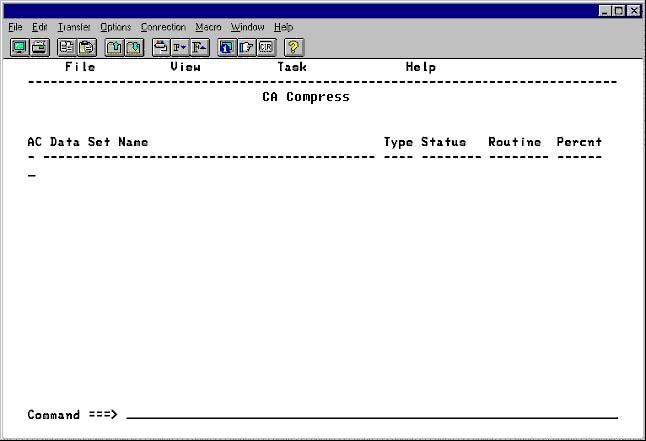
When CA Compress completes initialization, the system displays the primary work list panel as shown in the following panel. The action items available from this panel are File, View, Task, and Help.
The File action item is used to add, delete, and identify patterns in the work list. View is used during your evaluation of the results of the analysis process. Task initiates analysis and implementation functions, and provides access to maintenance and administration functions. The Help action item can be used at any time for more information.
The following panel displays the list of data sets you are currently working on. The list is initially empty until you begin to build it up by adding data sets to it. This panel is named the Work List.
| Copyright © 2012 CA. All rights reserved. |
|