

As a system programmer, your responsibilities include installing products on your mainframe system. With this option, you acquire a product pax file from http://ca.com/support or from a product DVD.
The DVD contains a folder that includes the pax file for the product. Product updates may have occurred after you acquired the product DVD. The files on the online site always have the most current product updates. To determine if you have the latest updates, go to http://ca.com/support and click Download Center.
Important! Downloading pax files for the SMP/E installation as part of the Pax-Enhanced ESD process requires write authority to the UNIX System Services (USS) directories used for the process. If you are installing a product that requires USS such as Agent Technology, Event Management or the version of Tomcat shipped with CA Common Services, you must have USS authority to perform the installation.
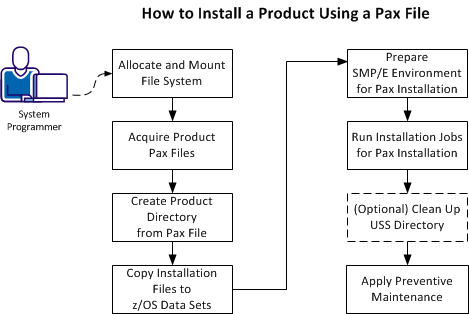
You perform the following tasks to install a product with a pax file:
|
Copyright © 2015 CA Technologies.
All rights reserved.
|
|