

Services simplify entitlement management. A service bundles together all the entitlements - applications, roles, groups, and attributes - a user needs for a given business role.
For example, all new sales employees need secure access to Salesforce.com and a Salesforce.com account. They need membership in the CA CloudMinder Sales group. They also need specific information added to their user account profiles. An administrator creates a service named Sales Administration that combines the required application, roles, group, and profile attribute information. When an administrator assigns the Sales Administration service to a user, the user becomes a member of the service. The user receives the entire set of entitlements that you define in the service.
As an administrator, a key use of services is to give users access to the software resource defined by an application. To give users this access, create a service that includes the application, then make the service available to users.
Users access the software resource in the manner that is defined in the application. For example, you can configure the application for Single Sign-on, or you can protect it with your choice of authentication method. Users who access the application through a service receive the benefit of these configurations.
You make the service available various ways. You can assign a service directly to one or more users. You can configure the service so that an application icon appears in the User Console of service members. Users can click the icon to access the application. Users can also request access to a service themselves through the User Console. For more information, see Make a Software Resource Available to Users.
Note: As an administrator, you can also give users access to an application by making a link to the application available. For example, you can insert the link into any web page or you can send the link in an email. For more information, see Creating a Service: Service Wizard.
The simplest way to create a service is by using the service wizard.
The following diagram shows the steps to perform, to create a service through the service wizard and make it available to users.
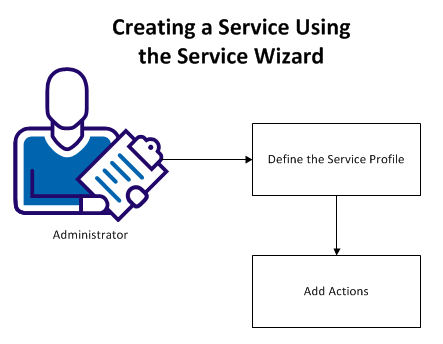
The following topics explain how to create a service using the service wizard:
|
Copyright © 2014 CA.
All rights reserved.
|
|