

The tenant administrator decides on the credential types and the corresponding advanced authentication flows that must be used to protect access to the tenant’s resources. The tenant administrator sends this information as a configuration request to the hosting administrator. As the hosting administrator, you configure Advanced Authentication according to the requirements specified in the configuration request.
The following diagram outlines the steps that are involved in configuring Advanced Authentication:
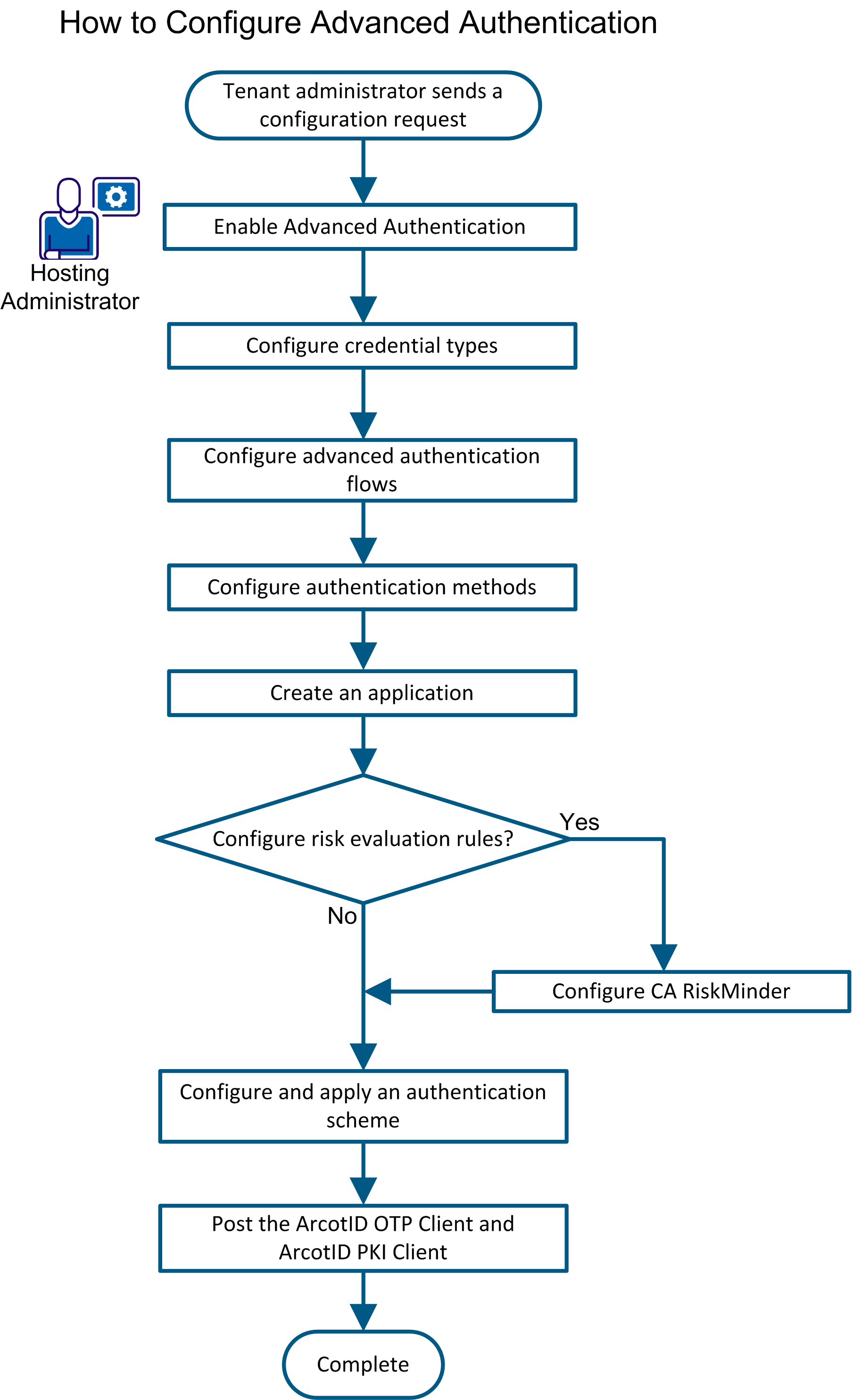
To configure Advanced Authentication, complete the following steps:
|
Copyright © 2013 CA.
All rights reserved.
|
|