

You can use Active Directory Server (ADS) to synchronize attribute data to supported endpoints. You do this by configuring CA IAM Connector Server to propagate local changes in Active Directory to a cloud-based identity store using a connector.
For example, assume that you have a SalesForce installation in the cloud. You could create an ADS group named "SalesForce" and then configure the CA IAM Connector Server to monitor that group. CA IAM Connector Server synchronizes any changes to the SalesForce environment in the cloud.
If you add a user to the ADS Salesforce group, CA IAM Connector Server uses the SalesForce connector to trigger a "Create User" action in the SalesForce environment proper.
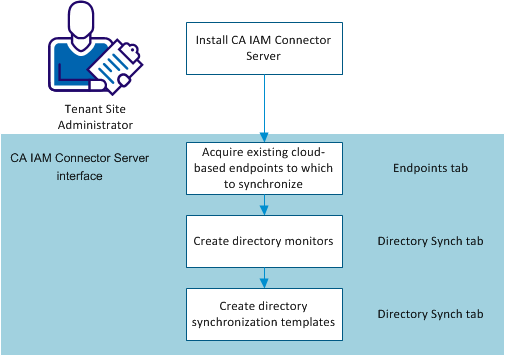
To set up directory synchronization, follow this process:
|
Copyright © 2013 CA.
All rights reserved.
|
|