

Some reports may take a long time to run, or you may want to view the same report multiple times without re-running the report each time you view it. Scheduling a report allows you to schedule the automatic generation of a report to occur at a later time. Once the report is generated, you can view the report multiple times without re-running the report.
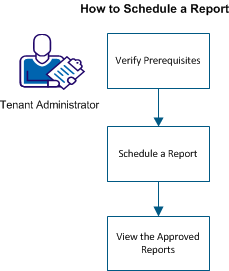
The following graphic illustrates the process on how to schedule a report:
To run the snapshot report, perform the following steps:
|
Copyright © 2013 CA.
All rights reserved.
|
|