

Authorization controls the rights and privileges for an object associated with an authenticated entity, typically, a logged-in user. An authenticated entity is managed by security profiles. That means that a user or a user group is represented by a security profile and all permissions are managed in connection with the security profile.
The Client Automation security subsystem is managing the authorization by providing a robust and generic security option for the entire CA Client Automation. It is responsible for controlling the rights and privileges for an object associated with an authenticated entity named security profile.
The following illustration gives an overview of the security subsystem that controls the authorization:
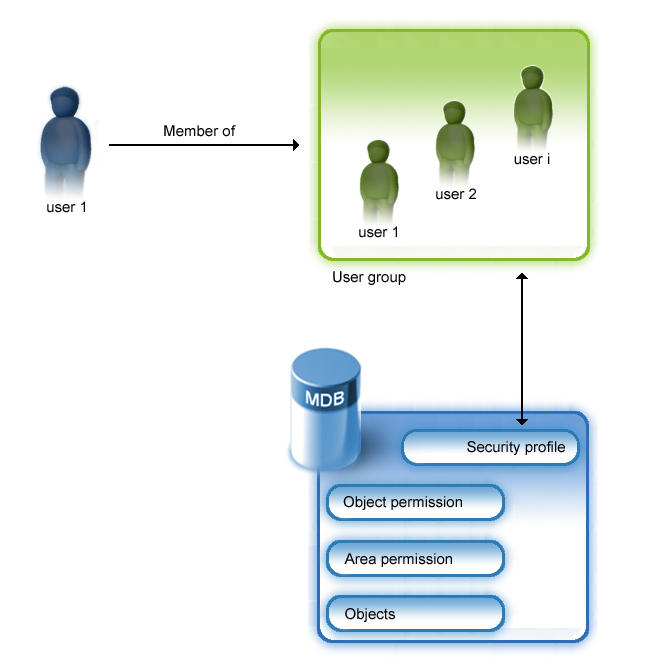
Normally, a user who is logged on to a system is a member of one or more user groups where the user group is represented by a security profile.
That means that the Client Automation administrator is responsible for creating the security profile for either a user group or a separate security profile for a particular user.
The permissions for the security profiles to the objects are also stored in the MDB in addition the Client Automation objects.
For example, you can create security profiles to determine which operating system-dependent groups and users can access the Client Automation system. You can also establish class permissions, group and object permissions, and restrict the access of users or user groups to selected folders or objects.
|
Copyright © 2014 CA Technologies.
All rights reserved.
|
|