

How to Configure and Authenticate External Directories
How to Configure and Authenticate External Directories
As a desktop support analyst, you use external directories for authentication. Using the external directories in the DSM Explorer, you can do the following tasks:
- Authenticate users, including native mode Active Directory users.
- Authorize users by mapping security profiles to entities in the directory.
- Define Query Groups with targets matching computers or users held in a container on a directory.
- Target the deployment of agents.
- Produce reports using a hierarchy obtained from a directory.
To authenticate using external directories, perform the following steps:
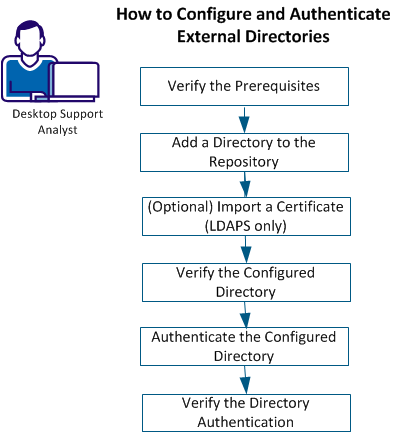
Perform the following steps:
- Add a Directory to the Repository
- (Optional) Import a Certificate (LDAPS only)
- Verify the Configured Directory
- Authenticate the Configured Directory
- Verify the Directory Authentication
Copyright © 2014 CA Technologies.
All rights reserved.
|
|