

As a desktop support analyst, your responsibilities include updating the golden templates when you want to add or remove software packages from the golden template. Updating the golden templates updates the VMware View Clone, Citrix PVS streamed virtual desktop, or MCS-based virtual desktop.
The following diagram illustrates the steps that you perform to update the golden template:
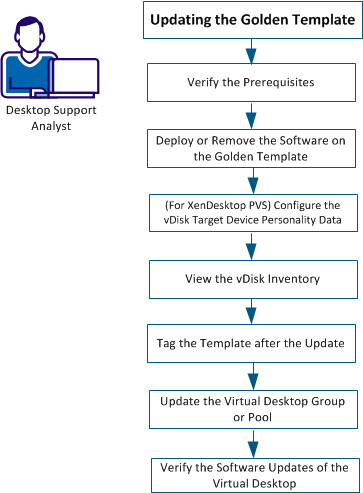
Perform the following tasks to update the golden template:
|
Copyright © 2014 CA Technologies.
All rights reserved.
|
|
