

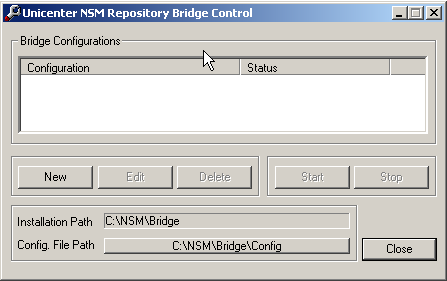
The Bridge Control provides an operator with a means of starting, stopping, and displaying the status of bridge instances available on the local host. On Windows, the Bridge Control also lets you start the Configuration GUI where you can edit or delete existing configurations.
The Bridge Control can be accessed through the Repository Bridge Control GUI or the command line. The Repository Bridge Control GUI displays information about the way the bridge was configured at installation, including the installation path and the path under which configurations are stored.
On Windows, start the Repository Bridge Control GUI by selecting Start, Programs, CA, Unicenter, NSM, WorldView, Bridge, Bridge Control.
The Repository Bridge Control also has a command line interface, bridgecntrl, through which you can start and stop any number of configured instances, letting you write scripts or batch files to control instances on a particular host without user intervention.
On UNIX/Linux, use the bridgecntrl command from the UNIX/Linux command line to start, stop, and display bridge instances on the local host.
The bridgecntrl command creates a file, $CAIGLBL0000/wv/config/bridge/.bridgePid, that stores the process IDs of each running bridge instance.
|
Copyright © 2010 CA.
All rights reserved.
|
|