

You can personalize your pages so that they display the information you need. By personalizing a page, you view only the content that is relevant to your task. You can display the content on the page in a way that best suits you. The changes that you make are visible only to you.
Each CA Clarity PPM page is composed of portlets, and the page content can be organized into tabs.
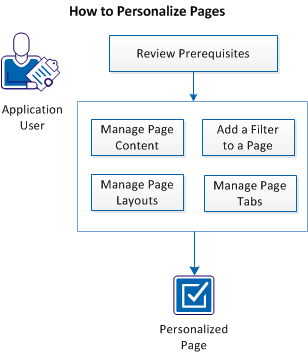
The following diagram describes how an application user personalizes pages:
Follow these steps:
|
Copyright © 2015 CA Technologies.
All rights reserved.
|
|