

The Home menu is the main menu for CA Clarity PPM users. The following illustration shows the Home menu expanded. To open and expand the menu, move the pointer over the menu name.
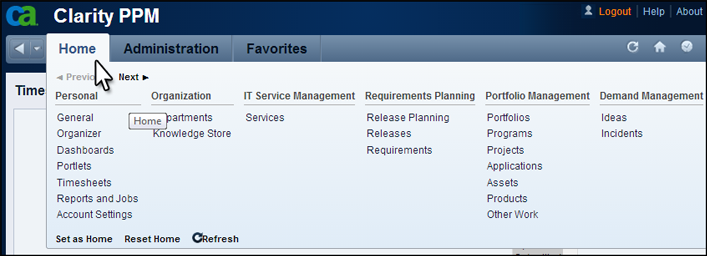
The menu options that appear on the Home menu depend on the rights that are granted to you. The menu selections can vary for each user.
The menu includes the following features:
Scrolls to the right or the left when clicked. If the Next button is active (bold), more menus appear to the right on the menu. If the Previous button is active, more menus appear to the left.
Sets the currently open page as your home page.
Resets the home page to the default home page, the Overview page.
Updates the menu to include recent changes.
|
Copyright © 2015 CA Technologies.
All rights reserved.
|
|