

As an application user, you are responsible for tracking the number of hours that you work on specific tasks. Tracking work time using timesheets allows companies to plan budgets for complex projects, track the allocation of resources, implement charge codes, and so on. Therefore, your manager may ask you to track the hours you spend on specific tasks for specific projects. Depending on the policy of your company, your manager may also want you to track the hours you spend on tasks under various charge codes and input methods. As an application user, you track your working hours, using timesheets.
For more information about how projects are managed using CA Clarity PPM, see the Project Management User Guide.
The following diagram describes how an application user submits a timesheet.
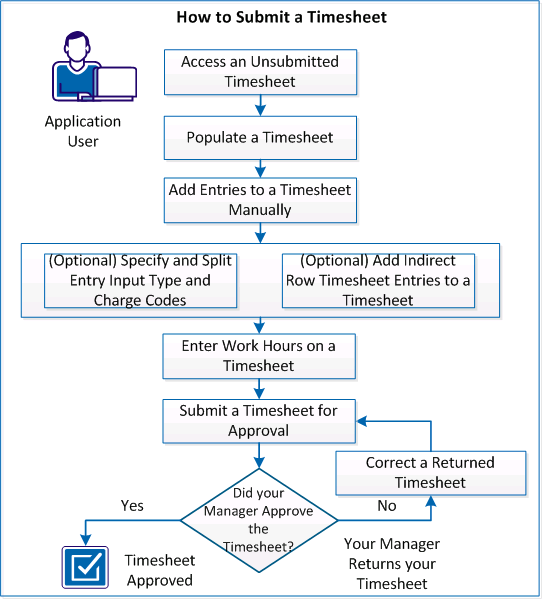
To submit a timesheet, perform these steps:
|
Copyright © 2013 CA.
All rights reserved.
|
|