

|
|
|
As a system administrator, you can configure custom attributes for CA Clarity Agile objects to provide more object details. The custom attribute you configure is available to all the products by default. You can also create new custom values for object fields at the application level. These custom values then show up on appropriate pages as values you can select from the drop-down lists.
You can create a maximum of 25 custom attributes for an object in a product. You can add custom attributes to the following objects:
For example, the team at First, Inc. wants to display the user story status to indicate the project progress. Dave, the system administrator, can add status field to the user story object and customize the lookup values. The team can use the status values to show their project status.
The following diagram describes how the system administrator can configure the custom attributes and customize the values in CA Clarity Agile and CA Clarity Requirements.
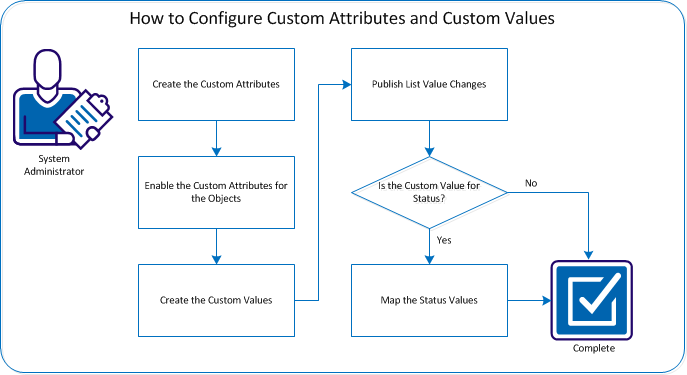
To configure custom attributes, perform these steps:
| Copyright © 2012 CA. All rights reserved. |
|