

|
|
|
The system administrator can upgrade CA Clarity Agile or CA Clarity Requirements to the new release so that users can benefit from the new and enhanced features. Winter 2013 is the latest release of CA Clarity Agile and CA Clarity Requirements. The upgrade includes installing and deploying the package, and configuring user profiles.
The following diagram describes how the system administrator upgrades CA Clarity Agile or CA Clarity Requirements to the new release.
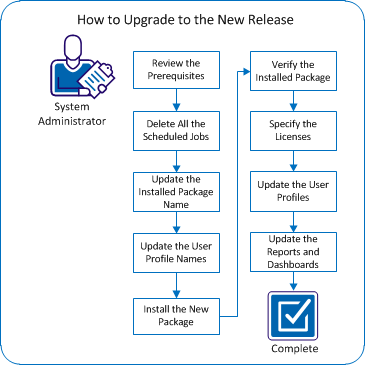
Perform these steps to upgrade to the new release:
| Copyright © 2012 CA. All rights reserved. |
|