

|
|
|
You can use the Sprint Backlog & Charts to track the progress of the sprint and identify any risk. The Sprint Backlog & Charts page displays hours burndown or points burndown to provide a comprehensive report.
Follow these steps:
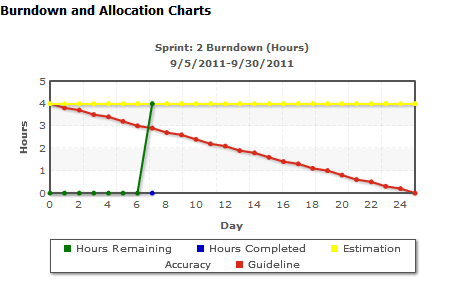
The Burndown and Allocation Chart appears for the selected sprint.
An hours burndown chart compares the actual hours that the team burned on user stories against the expected burndown for the sprint.
A points burndown chart compares the remaining story points that the team completed against the expected burndown.
You have successfully planned and tracked a sprint.
At the end of a sprint, update the status of the backlog items to closed or move the incomplete items to the next sprint. The scrum master conducts a retrospective meeting with the team to discuss and identify the steps to improve the process.
| Copyright © 2012 CA. All rights reserved. |
|