Previous Topic: Upgrade from Previous ReleasesNext Topic: Review the Prerequisites


Overview: Upgrade to the New Release of CA Clarity Agile

This scenario demonstrates how a Salesforce.com user with system administrator privileges upgrades to the new release of CA Clarity Agile. In this scenario, you upgrade to Spring 2013. The upgrade includes installing and deploying the package.

The following graphic describes how the system administrator upgrades CA Clarity Agile to the new release.
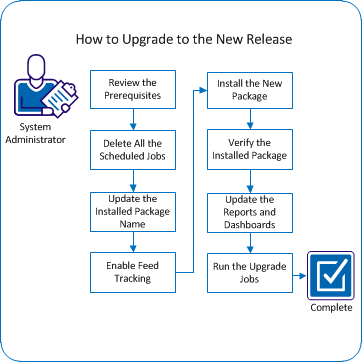
The following diagram describes how the system administrator upgrades CA Clarity Agile to the new release.

To upgrade CA Clarity Agile, perform these steps:

  1. Review the prerequisites.
  2. Delete all scheduled jobs.
  3. Update the installed package name.
  4. Enable Feed Tracking.
  5. Install the new package.
  6. Verify the installed package.
  7. Update the reports and dashboards.
  8. Run the upgrade jobs.