

Migration tasks can be complex, labor-intensive, and therefore error-prone. The Object Migrator is a wizard that automates the replication of DB2 objects, security, and data between local or remote DB2 subsystems. The Object Migrator is designed for the mainframe novice who can use the wizard to perform up to 100 jobs simultaneously.
The Object Migrator includes an analysis function to specify the parameters and changes during the migration before performing the actual migration. You can perform the analysis based on options you choose and can analyze and view the results. When an analysis shows that the migration would produce unintended results, you can customize the migration and can repeat the analysis until the migration produces the desired results.
As a database administrator (DBA), you can automate the process of migrating DB2 objects, data, and security using the Object Migrator, which guides you through the migration steps from selecting objects, creating analysis profiles, to viewing the final results.
Having an automated migration process for DB2 objects helps reduce the potential for error, simplifies database administration tasks, saves time, and increases database availability by reducing downtime. Automated migration also increases DBA productivity by freeing them to maintain DB2 environments efficiently and to manage performance issues proactively.
Note: Stored procedure migration is not supported.
The following illustration shows how a DBA migrates DB2 objects:
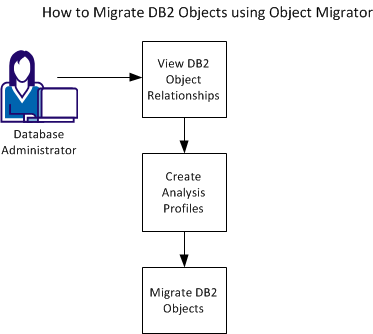
To migrate DB2 objects using Object Migrator, complete the following tasks:
|
Copyright © 2015 CA Technologies.
All rights reserved.
|
|