

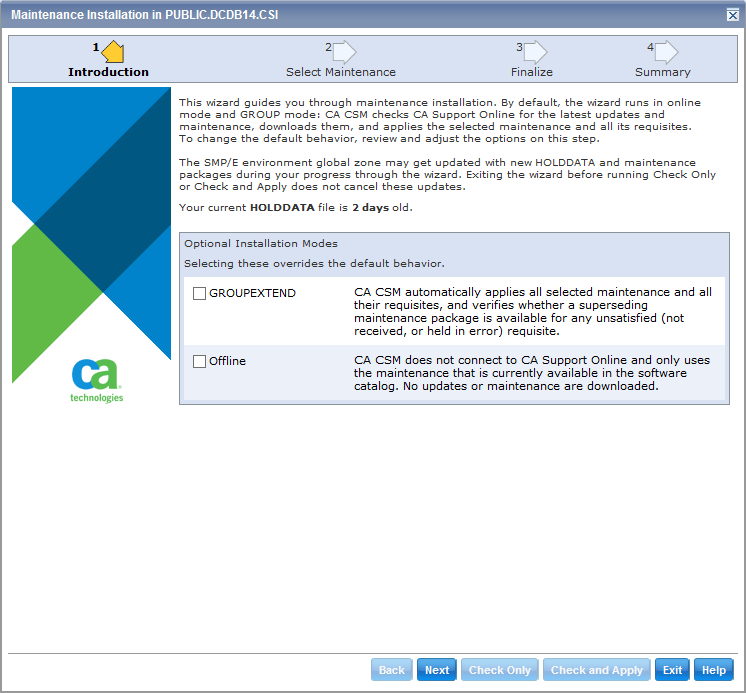
CA CSM now lets you manage product maintenance in a unified and simplified manner. Use the new wizards for processing regular maintenance, CA Recommended Service (CA RS) maintenance, or FIXCAT (fix category) maintenance, and tailor the maintenance processing to fit your needs. For example, you can switch between online and offline mode, or you can run APPLY CHECK first.
Note: For more information about managing product maintenance, see Maintaining Products Using CA CSM in the CA CSM bookshelf under User Documentation By Task.
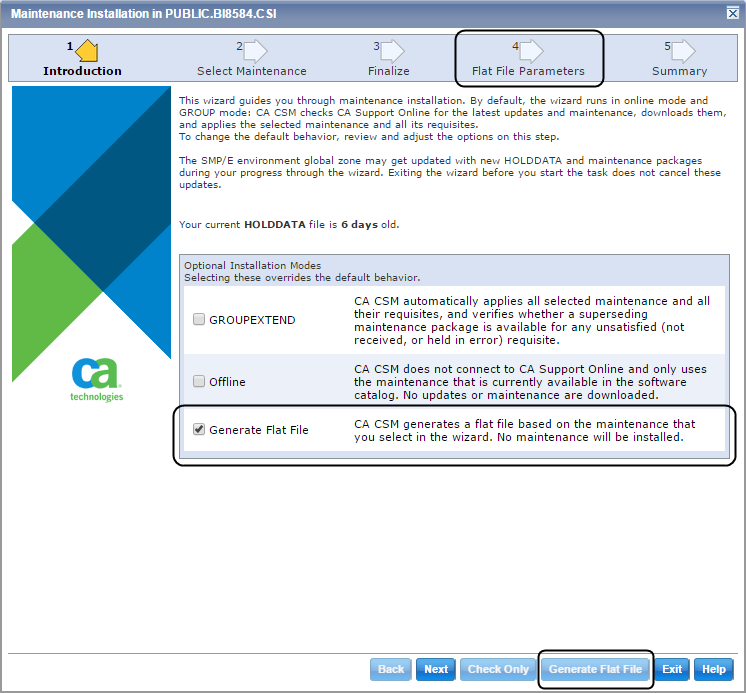
CA CSM now lets you generate a flat file. The flat file is a file that comprises multiple maintenance packages and their prerequisites that you want to receive in or apply to a specific SMP/E environment.
This feature helps you save time and effort if you want to apply maintenance to your products without using CA CSM. For example, you have your own procedures for applying maintenance on your site, or you want to receive or apply the maintenance on a system where CA CSM is not installed. You do not have to copy all maintenance packages one by one, or you do not have to search for the prerequisite packages. Instead, you generate a flat file, and you copy it to the system where you want to receive or apply the maintenance.
Note: For more information about the generation of the flat file, see the online help.
|
Copyright © 2015 CA Technologies.
All rights reserved.
|
|