

The Time Series Facility (TSF) stores the data that the mainframe products collect and provide. The TSF provides a single point for the collection, storage, management, and organization of the product data. You can use the TSF for analyzing your product data, and reporting. TSF data is collected on a periodic basis, which provides useful information about parameters such as performance or usage. Version 4.0 introduces a simplified TSF architecture while maintaining the robust User Interface (UI).
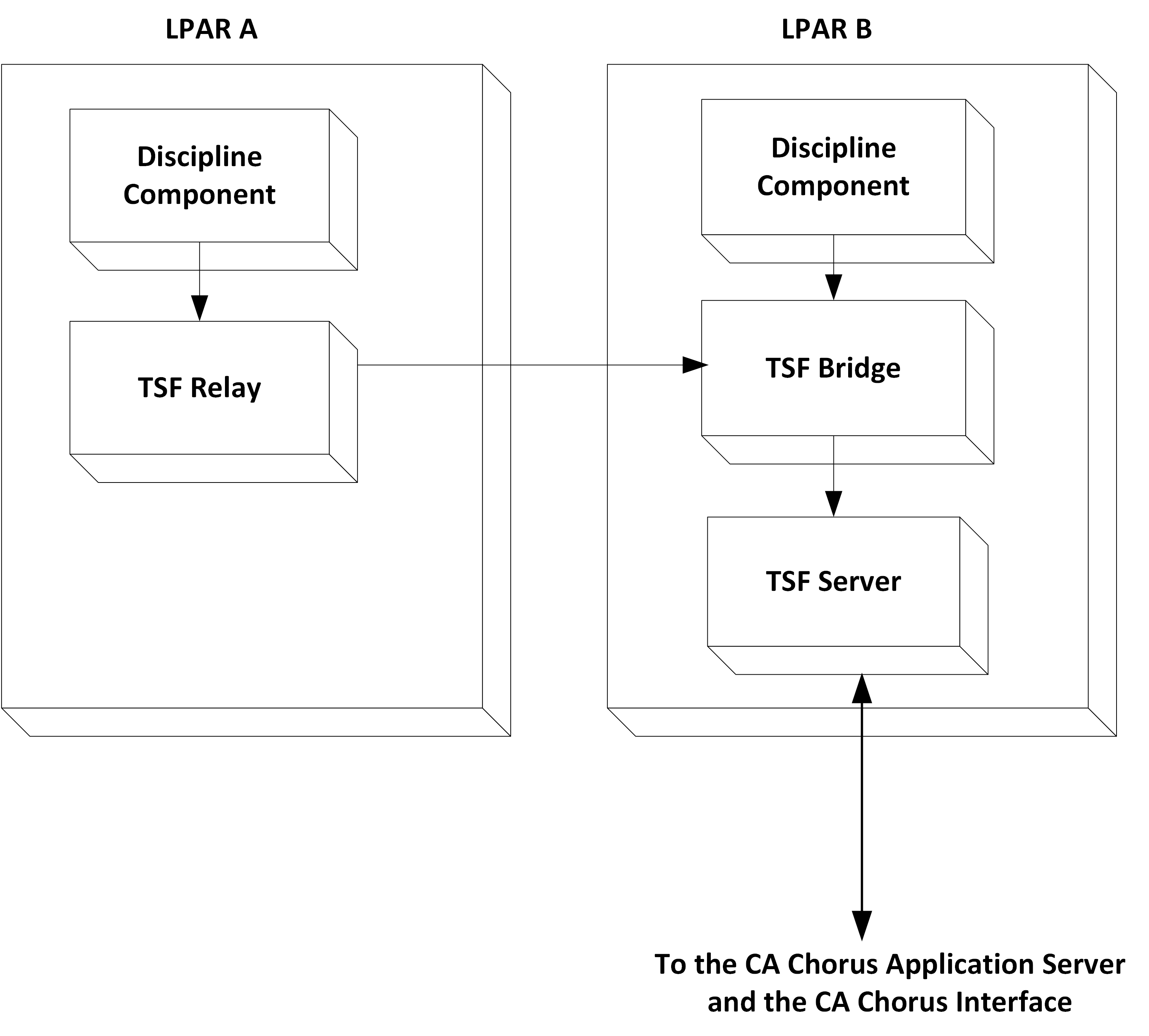
In all releases before Version 4.0, CA Datacom/AD housed the TSF database. The back-end products and CA Chorus then communicated with this database using a TSF Server. Version 4.0 introduces a TSF architecture that eliminates the CA Datacom/AD database, thus simplifying data management and configuration tasks. In this new architecture, the database resides on a file system under the CA Chorus installation. You must route your TSF connections from the CA Chorus disciplines to a TSF Bridge. This bridge then sends your data to the TSF Server. Ultimately, all TSF data reaches the new TSF Server and is housed in its database (not in a CA Datacom/AD database). Therefore, the TSF documentation includes commands and procedures that are related to the TSF Bridge (CHORTSFB) and the new TSF Server (CHORNTSF).
Application developers can push data to the TSF Server using APIs (C or Assembler). If you are a Software Development Kit user, you decide the API to use. This new TSF architecture uses only the CHORNTSF started task. To use the new TSF architecture, configure your application to talk directly to the TSF Server (hostname and port), bypassing the TSF Bridge.
The following diagram shows these TSF configurations:
|
Copyright © 2015 CA Technologies.
All rights reserved.
|
|